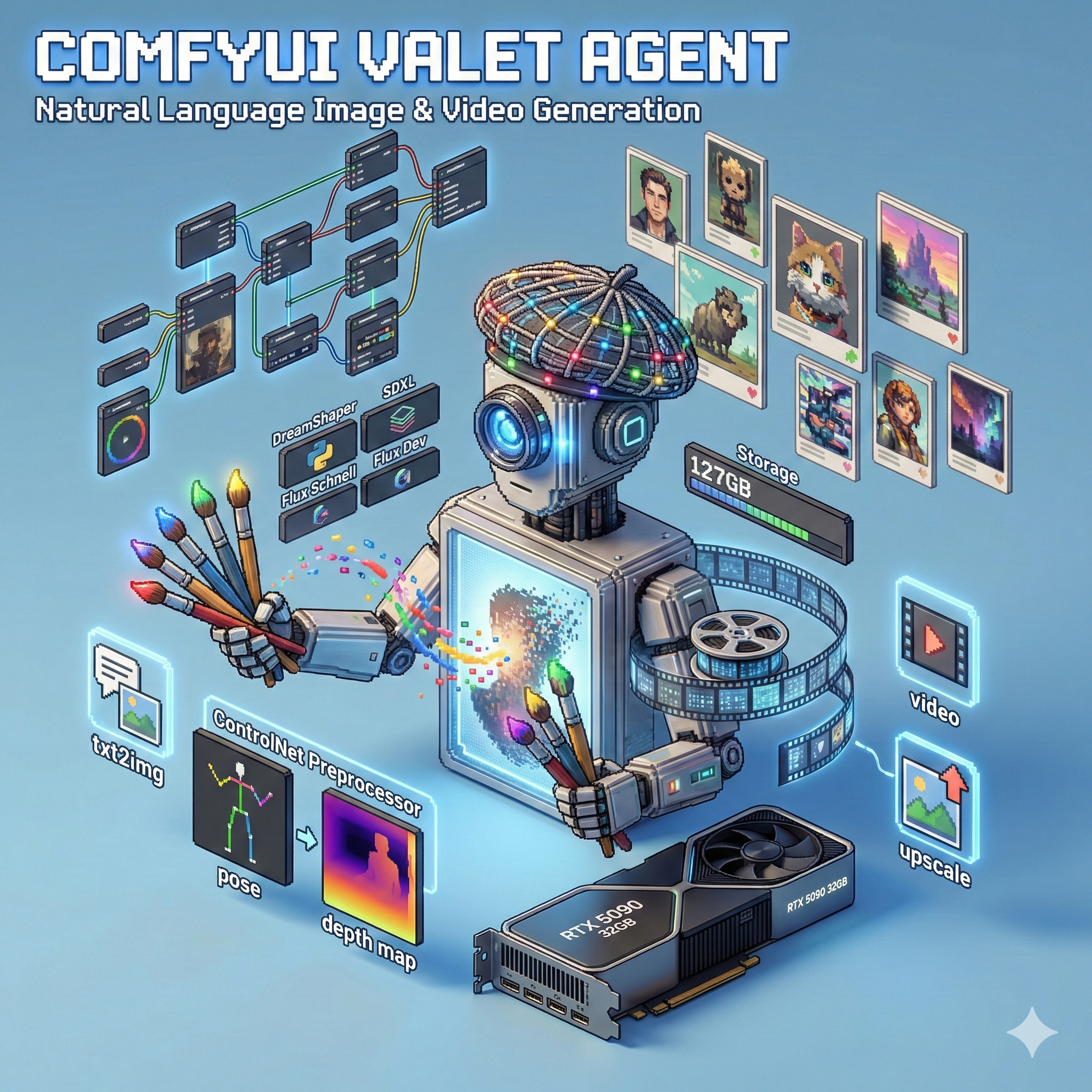
🎨 ComfyUI Valet Agent
Natural language interface for AI image and video generation
Home Lab Project · 127GB Models · 14 Custom Nodes · 9 Generation Modes
> The Problem
ComfyUI is incredibly powerful, but:
- Steep learning curve - Node-based workflows are complex for simple tasks
- Manual workflow creation - Every generation requires building or loading a workflow
- No API abstraction - Raw ComfyUI API requires workflow JSON
- Context switching - Moving between chat and UI breaks flow
I wanted to generate images and videos through natural conversation, not by manually wiring nodes.
> The Solution
The ComfyUI Valet Agent wraps ComfyUI with an AI agent interface. You describe what you want in natural language, and the agent:
- Parses your intent (generate, upscale, video, etc.)
- Selects the appropriate model and workflow
- Builds the workflow JSON dynamically
- Queues execution and monitors progress
- Returns the generated image/video
User: "Generate a cyberpunk cityscape at night, neon lights, rain"

Agent: Using Flux Schnell for fast generation...
       [Building workflow] → [Queuing] → [Generating]
       ✓ Generated in 4.2s
       [Returns image]
> Key Features
- 🗣️ Natural Language Interface - Describe what you want, not how to build it
- ⚡ Smart Model Selection - Automatically picks optimal model for the task
- 🎬 Video Generation - Wan 2.1 text-to-video support
- 🎛️ ControlNet Support - Pose, depth, canny edge guidance
- 🖼️ IP-Adapter - Use images as style/content prompts
- 🔍 4x Upscaling - UltraSharp and RealESRGAN
- ✂️ Inpainting - Edit regions with natural language masks
- 🧩 Segmentation - SAM-powered object isolation
- 📊 Progress Streaming - Real-time generation updates
> Architecture
flowchart LR
    subgraph Client
        A[Chat Interface]
    end

    subgraph Agent["ComfyUI Valet Agent :8660"]
        B[AI Agent Core]
        C[ComfyUI Tool]
        D[Workflow Builder]
        E[Template Manager]
    end

    subgraph ComfyUI["ComfyUI Worker :8188"]
        F[Execution Engine]
        G[Custom Nodes]
        H[Models]
    end

    subgraph Storage
        I[Output Directory]
        J[Models Directory]
    end

    A -->|"Natural language"| B
    B -->|"Parse intent"| C
    C -->|"Build workflow"| D
    D -->|"Load template"| E
    C -->|"POST /prompt"| F
    F --> G
    G --> H
    H --> J
    F -->|"Save output"| I
    I -->|"Return path"| C
    C -->|"Image/Video"| A
The agent sits between the user and ComfyUI, translating natural language into executable workflows.
> Generation Modes
| Mode | Description | Models Used |
|---|---|---|
generate |
Text-to-image | SD1.5, SDXL, Flux |
img2img |
Image transformation | All checkpoints |
controlnet |
Guided generation | + ControlNet preprocessors |
video |
Text-to-video | Wan 2.1 |
upscale |
4x enhancement | UltraSharp, RealESRGAN |
inpaint |
Region editing | + SAM/CLIPSeg masks |
ip_adapter |
Image prompting | + IP-Adapter models |
segment |
Object isolation | SAM |
list_models |
Query available | - |
> Supported Models
Image Generation
| Model | Type | VRAM | Speed | Best For |
|---|---|---|---|---|
| DreamShaper 8 | SD 1.5 | 4GB | Fast | General, artistic |
| SDXL Base | SDXL | 8GB | Medium | High quality, detailed |
| SDXL Turbo | SDXL | 8GB | Very Fast | Quick iterations |
| Flux Schnell | Flux | 16GB | Fast | Photorealistic, 4 steps |
| Flux Dev Q8 | Flux GGUF | 22GB | Slow | Highest quality |
Video Generation
| Model | Type | VRAM | Duration |
|---|---|---|---|
| Wan 2.1 1.3B | Text-to-Video | ~16GB | 2-4 seconds |
Upscaling
| Model | Scale | Quality |
|---|---|---|
| 4x-UltraSharp | 4x | Excellent detail |
| RealESRGAN_x4plus | 4x | General purpose |
| SwinIR_4x | 4x | Balanced |
> Custom Nodes (14)
graph TD
    subgraph Core
        A[ComfyUI-Manager]
        B[ComfyUI_essentials]
    end

    subgraph Models
        C[ComfyUI-GGUF]
        D[ComfyUI-WanVideoWrapper]
    end

    subgraph Identity
        E[ComfyUI_InstantID]
        F[PuLID_ComfyUI]
        G[ComfyUI-PhotoMaker-Plus]
    end

    subgraph Control
        H[comfyui_controlnet_aux]
        I[ComfyUI_IPAdapter_plus]
    end

    subgraph Vision
        J[ComfyUI-Florence2]
        K[ComfyUI-Impact-Pack]
    end

    subgraph Media
        L[ComfyUI-VideoHelperSuite]
        M[ComfyUI_CatVTON_Wrapper]
    end
Each node extends ComfyUI's capabilities for specific use cases.
> Workflow Building
The agent dynamically constructs ComfyUI workflow JSON based on the request:
def _build_flux_schnell_workflow(self, prompt: str, width: int, height: int, seed: int) -> dict:
    """Build Flux Schnell workflow dynamically."""
    return {
        "3": {  # KSampler
            "inputs": {
                "seed": seed,
                "steps": 4,
                "cfg": 1.0,
                "sampler_name": "euler",
                "scheduler": "simple",
                "denoise": 1.0,
                "model": ["4", 0],  # UNETLoader
                "positive": ["6", 0],  # CLIPTextEncode
                "negative": ["7", 0],
                "latent_image": ["5", 0]  # EmptyLatentImage
            },
            "class_type": "KSampler"
        },
        "4": {  # UNETLoader for Flux
            "inputs": {
                "unet_name": "flux1-schnell.safetensors",
                "weight_dtype": "default"
            },
            "class_type": "UNETLoader"
        },
        # ... more nodes
    }
Pre-built templates exist for common workflows, with dynamic parameter injection.
> Model Storage (~127GB)
| Category | Size | Contents |
|---|---|---|
| ControlNet | 34GB | Depth, pose, canny, tile, etc. |
| Checkpoints | 19GB | SD1.5, SDXL base models |
| Diffusion Models | 18GB | Flux Schnell, Flux Dev GGUF |
| Text Encoders | 13GB | T5-XXL, CLIP-L for Flux |
| CLIP | 9.4GB | Vision-language encoders |
| SAM | 6.5GB | Segment Anything models |
| CLIP Vision | 3.2GB | Image understanding |
| PhotoMaker | 2.6GB | Face customization |
| IP-Adapter | 1.7GB | Image prompting weights |
| InstantID | 1.6GB | Identity preservation |
| PuLID | 756MB | Pure Lightning ID |
| LoRAs | 425MB | Style fine-tunes |
> Example Interactions
Text-to-Image
User: "A serene Japanese garden with cherry blossoms,
       morning mist, golden hour lighting"

Agent: Selecting Flux Schnell for photorealistic output...
       Resolution: 1024x1024, Steps: 4, Seed: 42891
       ✓ Generated in 3.8s
Image-to-Image
User: "Take this photo and make it look like a watercolor painting"
       [attaches image]

Agent: Using SDXL for style transfer...
       Denoise: 0.65 (preserving composition)
       ✓ Transformed in 8.2s
Video Generation
User: "Generate a 3-second video of waves crashing on rocks"

Agent: Using Wan 2.1 1.3B for text-to-video...
       Duration: 3s, Frames: 48
       ⏳ Generating... (this takes longer)
       ✓ Generated in 2m 15s
Upscaling
User: "Upscale this image 4x with maximum detail"
       [attaches 512x512 image]

Agent: Using 4x-UltraSharp upscaler...
       Output: 2048x2048
       ✓ Upscaled in 12.4s
> Hardware Requirements
| Component | Minimum | Recommended (My Setup) |
|---|---|---|
| GPU VRAM | 8GB | 32GB (RTX 5090) |
| System RAM | 16GB | 94GB |
| Storage | 50GB | 150GB+ (for all models) |
| GPU | RTX 3060 | RTX 5090 |
VRAM requirements vary by model:
- SD 1.5: 4GB
- SDXL: 8GB
- Flux Schnell: 16GB
- Flux Dev + Video: 22GB+
> Tech Stack
| Component | Technology | Why |
|---|---|---|
| Agent Framework | AI Agent Core (Service 7) | Unified tool interface |
| Image Backend | ComfyUI 0.6.0 | Flexible node-based generation |
| LLM Gateway | Valet Model Runtime | Intent parsing, conversation |
| Container | Docker + NVIDIA runtime | GPU passthrough |
| Storage | Shared NFS volume | Model and output persistence |
| Python | 3.12 | Modern async support |
| PyTorch | 2.9.1+cu128 | CUDA 12.8 acceleration |
> Current Status
| Metric | Value |
|---|---|
| ComfyUI Version | 0.6.0 |
| Custom Nodes | 14 |
| Model Storage | 127GB |
| Output Storage | 65MB (recent) |
| GPU VRAM (free) | ~10GB |
| GPU VRAM (used) | ~22GB (model loaded) |
Running stable on my sapling server with RTX 5090.
> What I Learned
- Workflow abstraction is powerful - Hiding ComfyUI complexity behind natural language makes it accessible
- Model selection matters - Auto-selecting the right model for the task improves results and speed
- VRAM management is critical - With 32GB, I can keep Flux loaded, but video generation requires careful orchestration
- Templates + dynamic params - Pre-built workflow templates with parameter injection balances flexibility and reliability
- Progress streaming is essential - Long video generation needs real-time feedback
> What's Next
- LoRA fine-tuning integration
- Multi-image batch generation
- Style presets library
- Better video model support (CogVideoX)
- Gallery/history browser
- Cost/time estimation before generation